Add Watermark
Lay a word or a logo across your pages.
Drag & drop your PDF file here
or click to choose a file from your device
How to add a watermark to a PDF
- Upload the PDF. The preview opens on page one and you can page through the whole document.
- Choose Text Watermark or Image Watermark and set the wording — or upload your logo.
- Adjust size, colour, opacity, position and rotation, watching the preview update as you go.
- Choose All Pages or type the pages you want, then press Add Watermark and download the result.
Want a more detailed walkthrough? Read the full step-by-step guide →
Watermark PDF online — free, fast and private
Stamp a text or image watermark. With Pixpoo you can watermark PDF online for free, right in your browser — no sign-up, no watermark, and your files are processed locally rather than sent to Pixpoo’s servers.
About Watermark PDF
Add Watermark stamps a word or a logo across the pages of a PDF, so that anyone who sees the file also sees who it belongs to or what state it is in. The mark is drawn over the existing page rather than replacing anything, and the preview on the left shows you the result before you commit to it.
Two kinds of mark are available from the tabs at the top of the settings panel. A text watermark is a short phrase — DRAFT, CONFIDENTIAL, a client name, a date — set in one of five typefaces with your own size, colour, opacity and angle. An image watermark is a PNG or JPG you upload, usually a logo, scaled to a percentage of the page width.
Everything else on the page is left as it was, and that is not a figure of speech. The existing page content is kept as its own stream and the mark is appended as a second one, so we were able to check the before and after byte for byte: the original stream, the embedded fonts, the JPEG and transparent PNG images, the vector artwork, the annotations, the page sizes and the page rotations were all still exactly as they went in. Bookmarks and document properties survived too. The only edits were the mark itself and the producer and modified-date lines that every PDF editor rewrites.
What people actually use a PDF watermark for
A watermark is a label, not a lock — its job is to travel with the file and tell whoever opens it something the content does not.
- Marking a document DRAFT so nobody circulates a version that is not final yet.
- Stamping CONFIDENTIAL on something that is being shared outside the organisation.
- Putting a company logo on a proposal, quote or portfolio before sending it to a client.
- Labelling review copies with a recipient name, so it is clear which copy a leaked page came from.
- Marking a superseded file SPECIMEN or VOID so an old version is not mistaken for the current one.
Watermark PDF options explained
The settings panel is short, but a few of the controls interact with each other in ways worth knowing before you start.
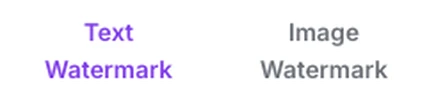
Text Watermark or Image Watermark
The two tabs switch between stamping a phrase and stamping a picture. Only the active tab is applied — switching tabs changes what gets drawn, it does not layer one on top of the other. Opacity, position and rotation are shared by both.
Text for anything that is really a status — DRAFT, CONFIDENTIAL, a date. Image when the point is branding and you already have a logo file. If you want both a logo and a word, run the file through twice.
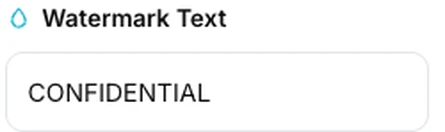
Watermark Text
The phrase to stamp on each page. It is drawn as real text rather than as a picture, which keeps the file small but does mean it uses the PDF standard fonts and their Western European character set.
Keep it short — one or two words read best at a glance and stay inside the page. We tested the character range directly. English, French, German, Spanish, Italian, Portuguese and the Nordic languages all stamp correctly, accents and all, along with curly quotes, dashes, ½ and the usual currency and legal symbols. What does not work is anything outside that set: Chinese, Japanese, Hindi, Greek, Russian and emoji are refused, and so are the Latin letters used by Polish, Czech, Turkish and Hungarian — Ą, Č, ğ and their relatives. In every one of those cases the tool reports a failure rather than stamping something wrong. If you need a mark in one of those scripts, set the word as an image in any graphics app and use the Image Watermark tab instead.
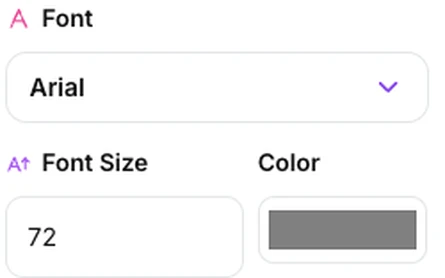
Font, Font Size and Color
Five font names are offered, and behind them are the three typefaces every PDF reader is guaranteed to have: Arial and Verdana both come out as Helvetica, Times New Roman and Georgia both come out as Times, and Courier New comes out as Courier. We verified this against the output — the two pairs produce identical stamps. Size is in points, the same unit a word processor uses, and the colour picker takes any colour you like.
The choice that matters is serif or sans-serif or monospace; the five names are three real options. Size is where care pays off: at the default 72 points the word CONFIDENTIAL is about 528 points wide, which is 89 per cent of the width of an A4 page. That is fine dead centre, but it will not fit anywhere else — see Position below. Mid grey at low opacity is the classic look because it stays legible over both white space and dark artwork.

Opacity
How solid the mark is, from 5 to 100 per cent. The default of 30 per cent is faint enough to read the document through and strong enough to be unmistakable.
Stay between about 15 and 40 per cent for anything that still has to be read. Push it higher when the mark is the message — a SPECIMEN or VOID stamp that is meant to make the page unusable. Remember that the watermark is drawn on top of the content, so a solid mark at high opacity will hide whatever is underneath it.
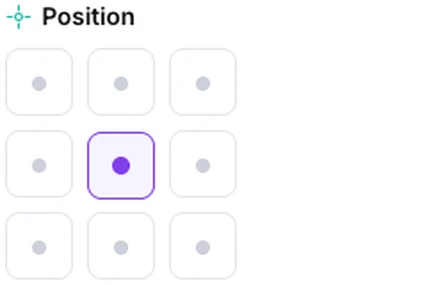
Position
Nine anchor points — the four corners, the four edge midpoints and the centre. The mark is centred on whichever anchor you pick, and the edge anchors sit 60 points in from the page edge.
This is the control that interacts most with font size, because the mark is centred on the anchor rather than tucked against it — half of it sits on each side of that point, and the edge anchors are only 60 points in. We measured every combination. On A4 at the default 45 degrees, CONFIDENTIAL fits the centre up to about 99 points but fits any of the other eight anchors only up to about 20 points; a shorter word like DRAFT manages roughly 187 points in the centre and 37 anywhere else. Past those sizes the word runs off the edge and is cut off, which we confirmed on the rendered output. So the centre is the anchor to reach for at a large size, and the other eight want a small size, a short word, or both.
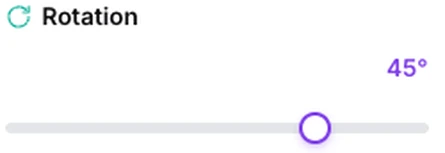
Rotation
Tilts the mark from -90 to +90 degrees. The default 45 degrees is the diagonal look most people picture when they think of a watermark.
45 degrees across the centre for the classic diagonal. Zero for a footer-style label along the bottom edge, or 90 for a spine-like mark down the side. One thing to know if your document mixes orientations: some pages carry a rotation flag — a landscape scan sitting inside a portrait file, for instance — and the mark is written into the page as it is stored, so the reader turns the mark along with the page. We tested all four flag values on identical pages. A page flagged 90 shows the mark turned a further 90 degrees, one flagged 180 shows it upside down, and one flagged 270 turns it the other way; the preview shows the angle you picked in all four cases. On pages with no rotation flag — the overwhelming majority — the preview and the download match exactly.
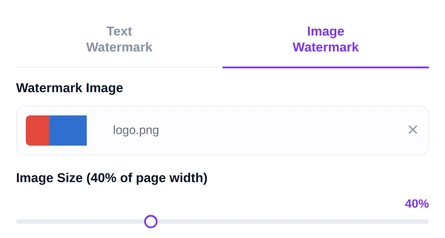
Image Watermark
Upload a PNG or JPG and it is stamped at a size you set as a percentage of the page width, from 10 to 90 per cent, with the aspect ratio kept. The opacity, position and rotation controls apply to it just as they do to text.
Use a PNG with a transparent background. We checked inside the finished files: a transparent PNG is stored with its alpha channel intact, so the background really does stay see-through, while a JPG has no transparency to carry and lands as a solid rectangle behind your logo. The image itself is not degraded — a JPG is passed through with its original bytes untouched, and a PNG is stored losslessly — and it goes in at full resolution whatever percentage you pick, so the slider only changes how large it is drawn. Around 30 to 40 per cent of the page width suits most logos. It is also stored a single time and referenced by each page it appears on, so putting a logo on a long document costs its file size once rather than once per page.
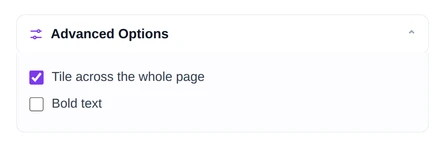
Advanced Options
Two extras live behind this heading. "Tile across the whole page" repeats the mark in a grid instead of stamping it once, which is the pattern used on documents that must not be usefully screenshotted. "Bold text" switches the text watermark to the bold weight of the chosen typeface.
Tiling needs a much smaller font than a single stamp. The grid is always three marks wide, with the number of rows following the page height — twelve marks on A4 portrait, six on A4 landscape — so a word tiles cleanly only if it fits inside a third of the page width. On A4 that works out at about 27 points for CONFIDENTIAL, 60 for DRAFT and 83 for VOID. Left at the 72-point default, CONFIDENTIAL is nearly three times wider than its slot and the copies pile on top of each other, so turn the size down when you turn tiling on. Tiling works the same way for an image watermark. Bold is worth it at low opacity, where a light weight can almost disappear over busy artwork.
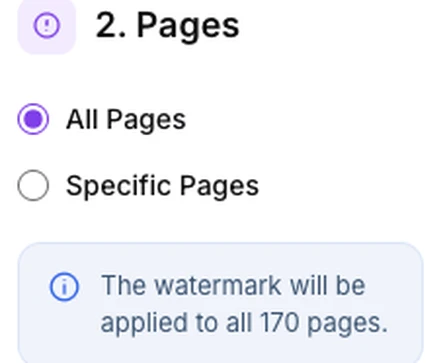
Pages
All Pages stamps every page in the document. Specific Pages takes a list in the usual form — 1, 3, 5-8, 12 — and marks only those. The note underneath confirms what is about to happen before you press the button.
All Pages for a status mark such as DRAFT, where a single unmarked page defeats the purpose. Specific Pages when only part of the file is sensitive, or when you want a logo on the cover alone. We ran 1, 3, 5-8, 12 against a 170-page document: exactly those seven pages came back stamped, and the content of the other 163 was bit-for-bit identical to the original.
Why use Pixpoo for Watermark PDF?
- A live preview of the actual page, so you can see where the mark lands before you download anything.
- Text or image, with position, size, colour, opacity and rotation all under your control.
- Apply it to every page or only to the pages you list.
- Bookmarks, embedded fonts and links all survive, including internal links that jump to another page — we checked each of them before and after.
- Comfortable with long documents: a 170-page test file took about a second to stamp in our test environment, and the preview has no page limit.
Watermark PDF features
Watermark PDF limitations
The honest headline is that a watermark is a label, not protection. It is drawn as an ordinary layer of page content, which means anyone with a PDF editor can select it and delete it, and the words of a text watermark are picked up by copy and paste and by search — we confirmed that in the output. If the point is to stop people opening, printing or copying the file, use Protect PDF instead, or use both. Beyond that, four things are worth knowing before you start. Text marks use the fonts built into every PDF reader, which cover Western European Latin — so Chinese, Japanese, Hindi, Greek and Cyrillic are refused, and so are the accented letters specific to Polish, Czech, Turkish and Hungarian; put those in an image instead. The mark is centred on whichever anchor you choose rather than tucked against it, so anything but the centre anchor needs a small size or a short word, and tiling at the default 72 points produces copies that overlap into an unreadable mess. Pages carrying a rotation flag turn the mark along with the page, so the download will not match the preview on those pages. And the mark is always drawn over the page rather than behind it, so at high opacity it will cover the content underneath.
Common Watermark PDF questions
How do I add a watermark to a PDF?
Upload the PDF, pick the Text or Image tab, set the wording or choose your logo, then adjust size, colour, opacity, position and rotation while watching the preview. Choose All Pages or type a page list, press Add Watermark and download the stamped file.
Can I use a logo as a watermark?
Yes. Switch to the Image Watermark tab and upload a PNG or JPG, then set how wide it should be as a percentage of the page. A PNG with a transparent background is the right choice — we tested both formats and the PNG transparency comes through correctly, while a JPG carries its rectangular background onto the page as a solid block behind the logo.
Does a watermark stop people copying my PDF?
No, and it is worth being clear about that. The watermark is a normal layer of page content, so anyone with a PDF editor can select it and remove it, and the text of a word watermark is picked up by search and by copy and paste. It is there to label a document and make an unauthorised copy obvious, not to prevent one. To actually restrict opening, printing or copying, use Protect PDF — the two are often used together.
Can I put the watermark behind the text instead of over it?
Not at the moment. Your page is left as its own untouched layer and the mark is written after it, which is exactly why nothing underneath is disturbed — but it also means the mark always sits above. In practice this is what the opacity slider is for: at the default 30 per cent the document reads through the watermark perfectly well. If your mark is hiding something important, lower the opacity, reduce the size, or move it to a part of the page that is empty.
Why is my watermark cut off at the edge of the page?
Because the mark is centred on the anchor you picked, so half of it sits on either side of that point. The corner and edge anchors are 60 points in from the page edge, which is not enough room for a long word at a large size — at the default 72 points, CONFIDENTIAL is about 528 points wide on an A4 page and most of it ends up outside. The limits are measurable: a twelve-letter word at the standard 45-degree tilt has roughly five times more room in the middle of an A4 page than at any anchor near an edge, and a five-letter one is comfortable at nearly double the size everywhere. So either move the mark to the centre, shorten the wording, or turn the size down.
Why do the copies overlap when I tile the watermark?
The tiled grid always places three marks across the width of the page, with as many rows as the height allows — twelve marks on A4 portrait — so the wording has to fit inside a third of the page width to sit cleanly. On A4 that is roughly 27 points for CONFIDENTIAL, 60 for DRAFT and 83 for VOID, all well below the 72-point default, where CONFIDENTIAL is nearly three times wider than its slot. Turn the size down when you switch tiling on, or use a shorter word.
Can I watermark in Hindi, Chinese or another non-Latin script?
Not as text. The text watermark uses the fonts built into every PDF reader, and those cover Western European Latin. We tested the range directly. Accented French, German, Spanish, Italian, Portuguese and Nordic text all stamps correctly, as do curly quotes, dashes, ½ and the usual currency symbols. Devanagari, Chinese, Japanese, Greek, Cyrillic and emoji are refused — and so, less obviously, are the letters specific to Polish, Czech, Turkish and Hungarian, such as Ą, Č and ğ. In each case the tool reports a failure rather than stamping something wrong. The way round it is to set your text as an image in any graphics app, save it as a PNG with a transparent background, and stamp that through the Image Watermark tab.
Will watermarking damage my bookmarks or links?
No. The page is stamped rather than rebuilt from copied pages, so it keeps far more than most PDF operations do — its original content stream is left completely untouched and the mark is appended as a second stream beside it. We tested a file with bookmarks, external web links, an internal link jumping to another page, embedded fonts, JPEG and transparent PNG images, vector artwork and five different page sizes and rotations. Every one of them came through unchanged, and the internal link still resolved to the right page afterwards. The only edits are the watermark itself and the producer and modified-date lines, which any PDF editor rewrites.
Will the file get much bigger?
The change is small, and it can go either way. A text watermark is drawn as text rather than as a picture, so it costs only a few hundred bytes per page — but the file is also re-compressed on the way out, and whether that gains or loses depends on how the original was written. Across three differently-produced test files the same watermark gave us -10 per cent, -7 per cent and +16 per cent. An image watermark is cheaper than it looks: the picture is embedded once and referenced from every page, so a logo on a 170-page document costs its file size once rather than 170 times.
Can I watermark only some of the pages?
Yes. Choose Specific Pages and type a list in the usual form — 1, 3, 5-8, 12. Only the pages you name are stamped and the rest are left completely untouched. It is the right choice when a cover page needs a logo, or when only part of a long document is confidential.
Is the Watermark PDF tool free?
Yes. Watermark PDF with Pixpoo is completely free — no sign-up, no watermark, no usage limits and no paid plan. It runs entirely in your browser, so there is nothing for us to meter.
Are my files uploaded to a server?
No. When you use Watermark PDF, your files are processed in your browser and are not sent to Pixpoo’s servers — Pixpoo does not upload or store them.
Related tools: Edit PDF, Sign PDF, Page Numbers. All PDF tools →